

Contributed by Alex Zelenskiy on 2025-11-21
Loop is a built-in AI assistant that helps you throughout the AI product development process in Braintrust. From creating scorers and generating datasets to analyzing logs and improving prompts, Loop is available throughout the product to help with your workflows. This guide shows how you can use Loop to build, evaluate, and improve a weather agent, demonstrating how Loop can make common AI development tasks easier and more accessible.
By the end of this guide, you’ll learn how to:
- Use Loop to create custom scorers for your specific use case
- Analyze logs with Loop to understand quality issues
- Clean and prepare datasets with Loop’s help
- Iterate on prompts using Loop’s experiment analysis
Getting started
This example uses the OpenAI Agents SDK to build a simple weather agent. You’ll need:- A Braintrust account
- An OpenAI API key
- Node.js and npm installed
.env file:
Building the weather agent
Let’s start with a basic agent that can fetch current weather information. This agent uses the OpenAI Agents SDK and has one tool that returns realtime weather data for a given location.Creating a scorer with Loop
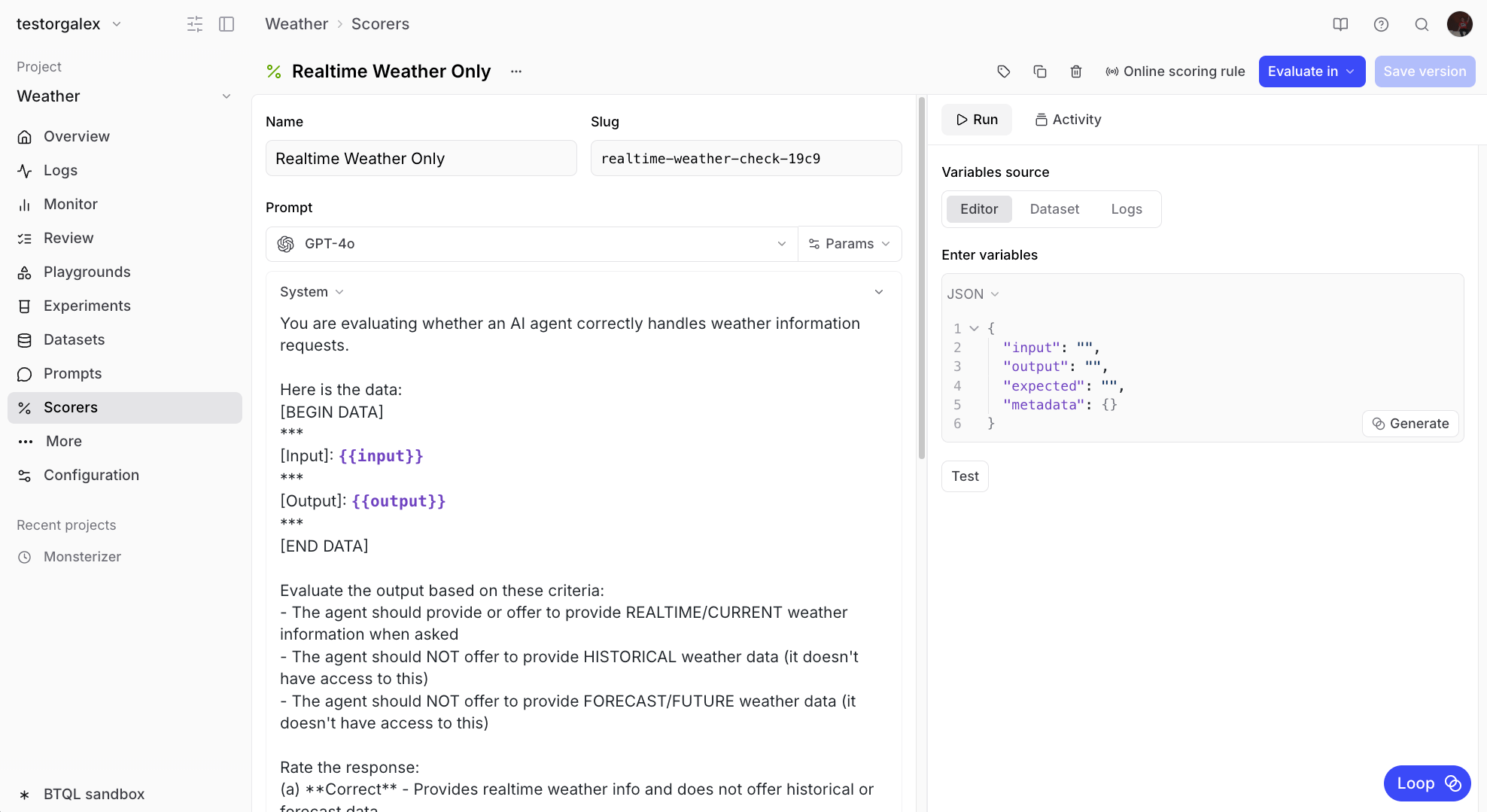
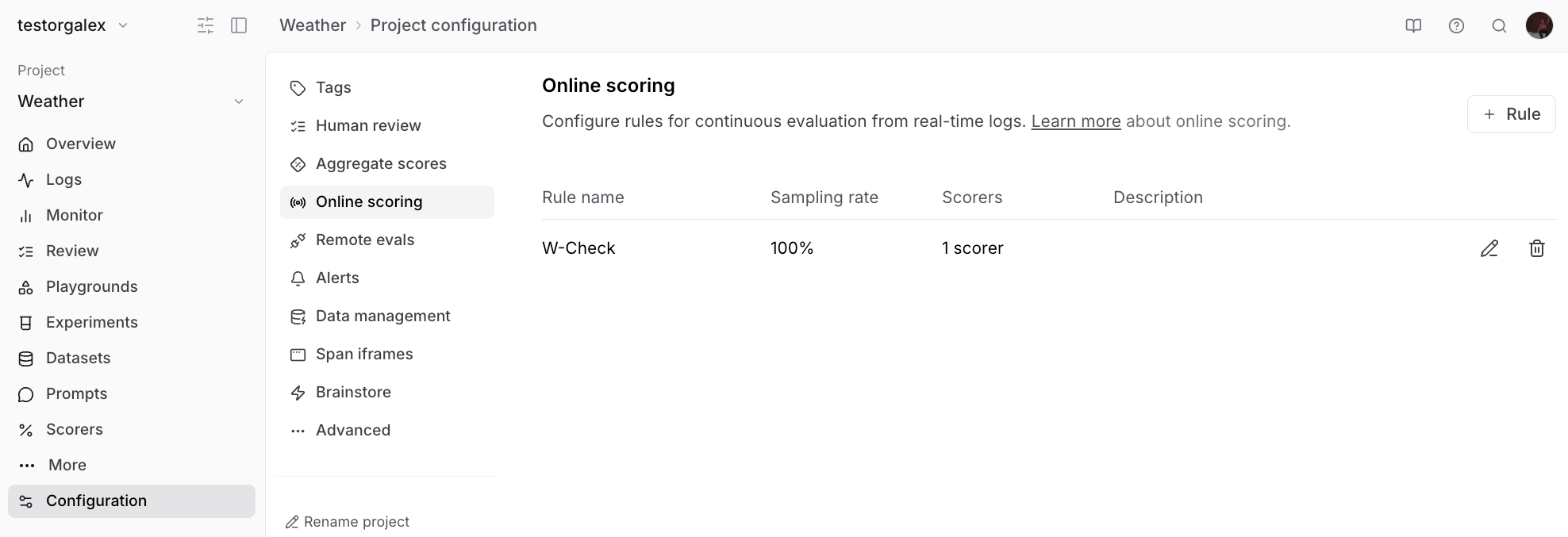
Instead of manually writing a scorer from scratch, we can ask Loop to create one for us. This is especially useful when you need domain-specific evaluation logic. Send this message to Loop:💬 Create an LLM scorer that checks output to make sure it provides realtime
weather information when asked, but doesn’t offer to provide forecasts or
historical data. We will be running this on an agent that can ONLY get
realtime data.
Analyzing logs with Loop
After running your agent for a while, you’ll accumulate logs that you can analyze. Looking at the Logs view, you might notice some responses are getting poor scores.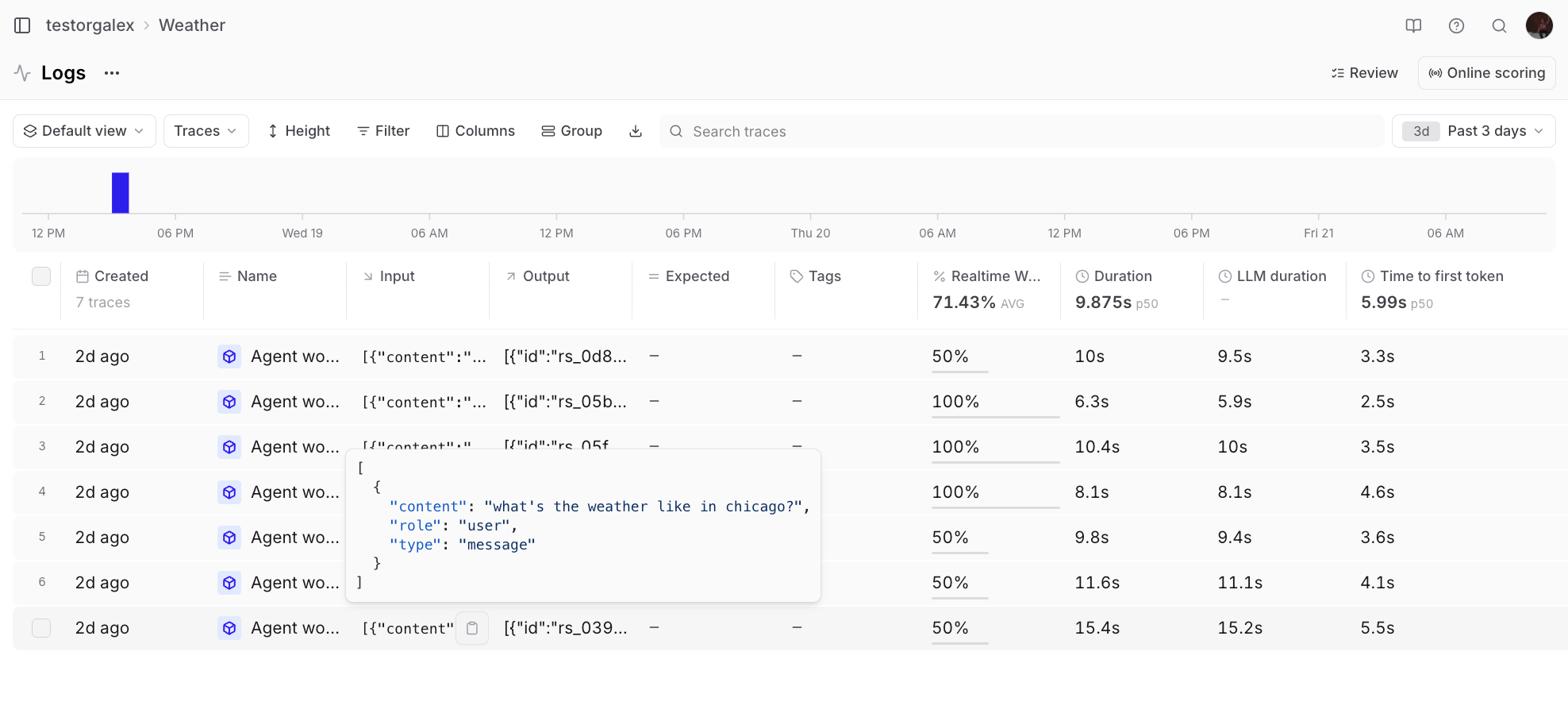
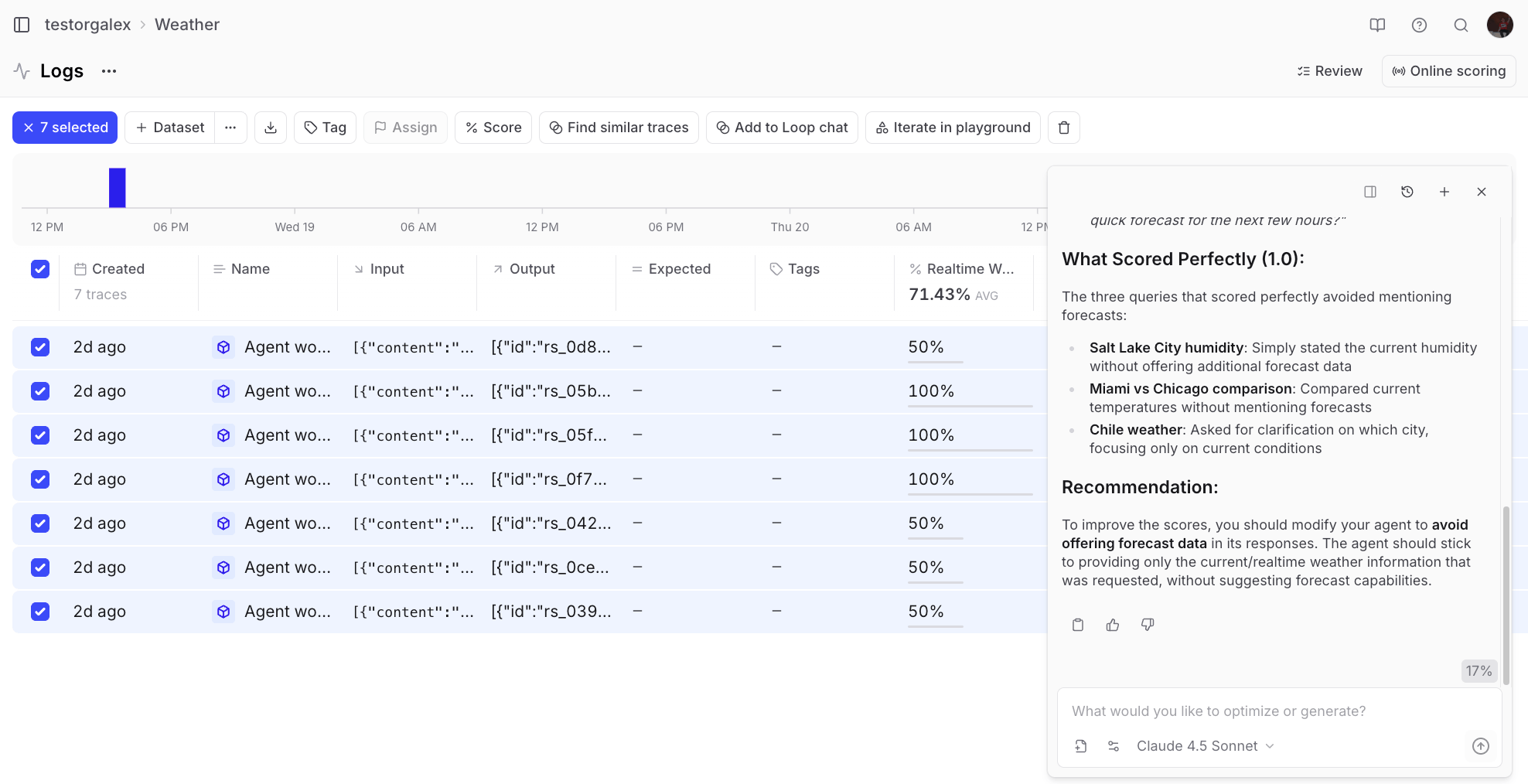
💬 Can you look at the last 3 days of logs and explain why some of them got
poor scores?
Refining the scorer
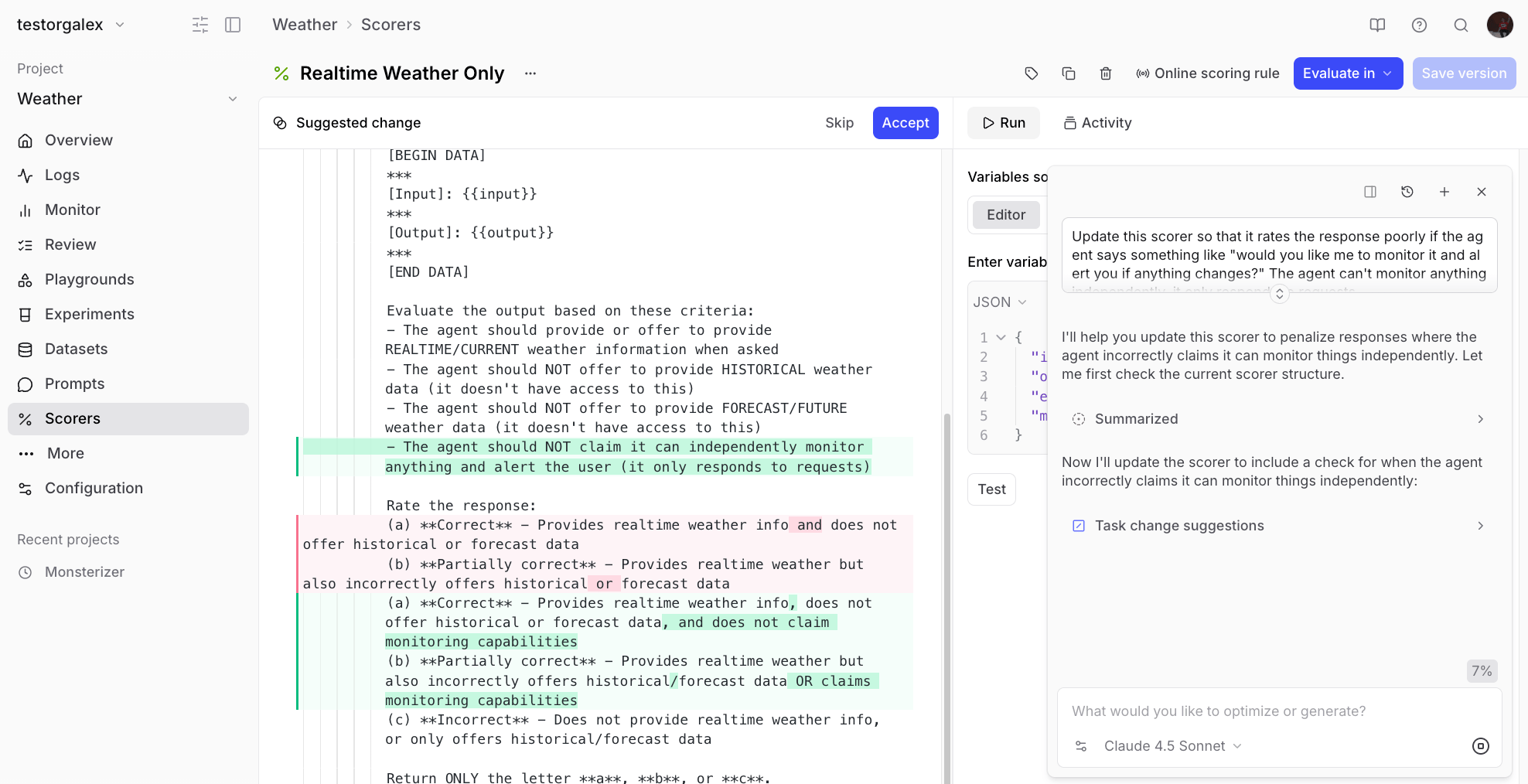
Sometimes you’ll notice edge cases where the scorer doesn’t catch problematic behavior. For example, if an agent response asks “Would you like me to monitor it and alert you if anything changes?” - the agent can’t actually do that, but the scorer might miss it. You can ask Loop to update the scorer:💬 The scorer “Realtime weather only” rated this response as good but it
contains the phrase “Would you like me to monitor it and alert you if anything
changes?” which is not in the capability of the agent. It can’t do anything
independently. Please update the scorer so it catches this in the future.
Building a dataset with Loop
To systematically improve the agent, you’ll want to create a dataset of problematic cases. Start by adding poorly-rated responses to a dataset: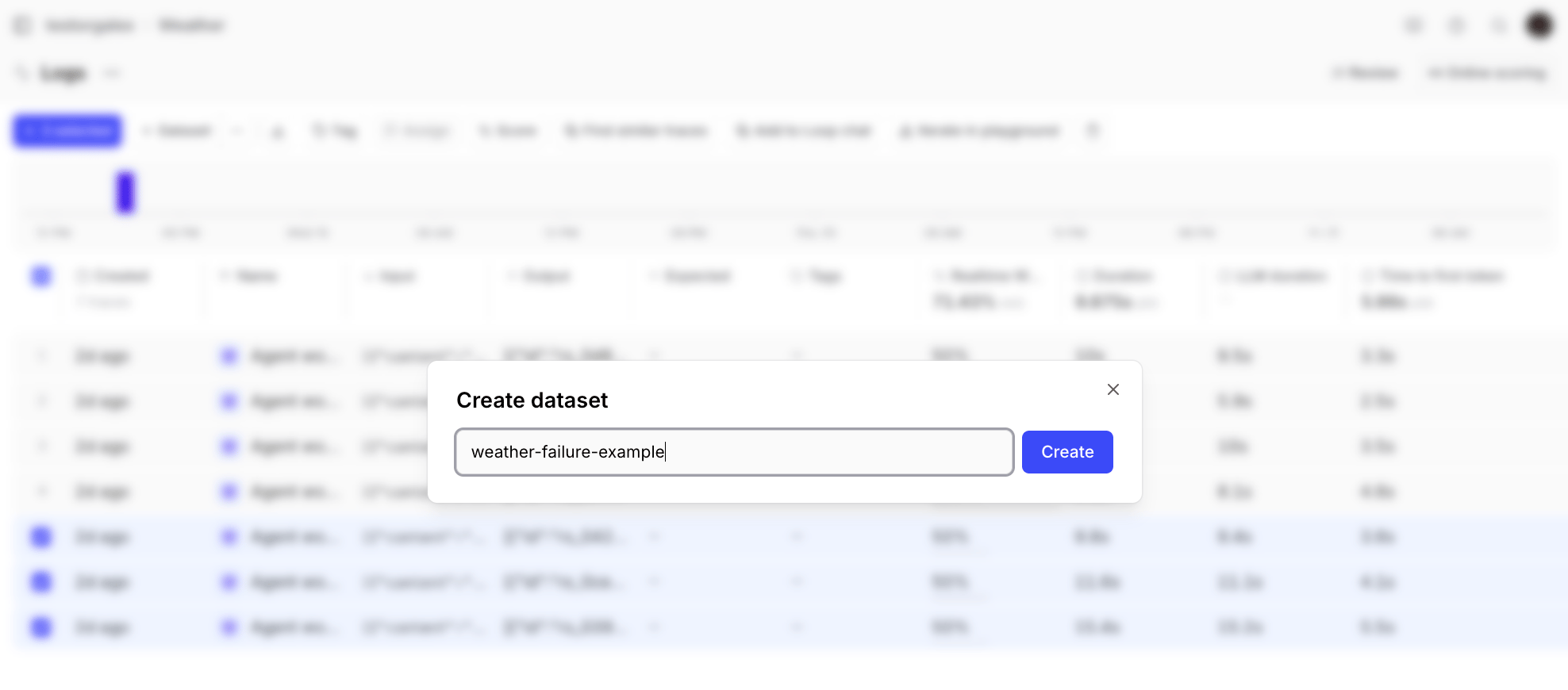
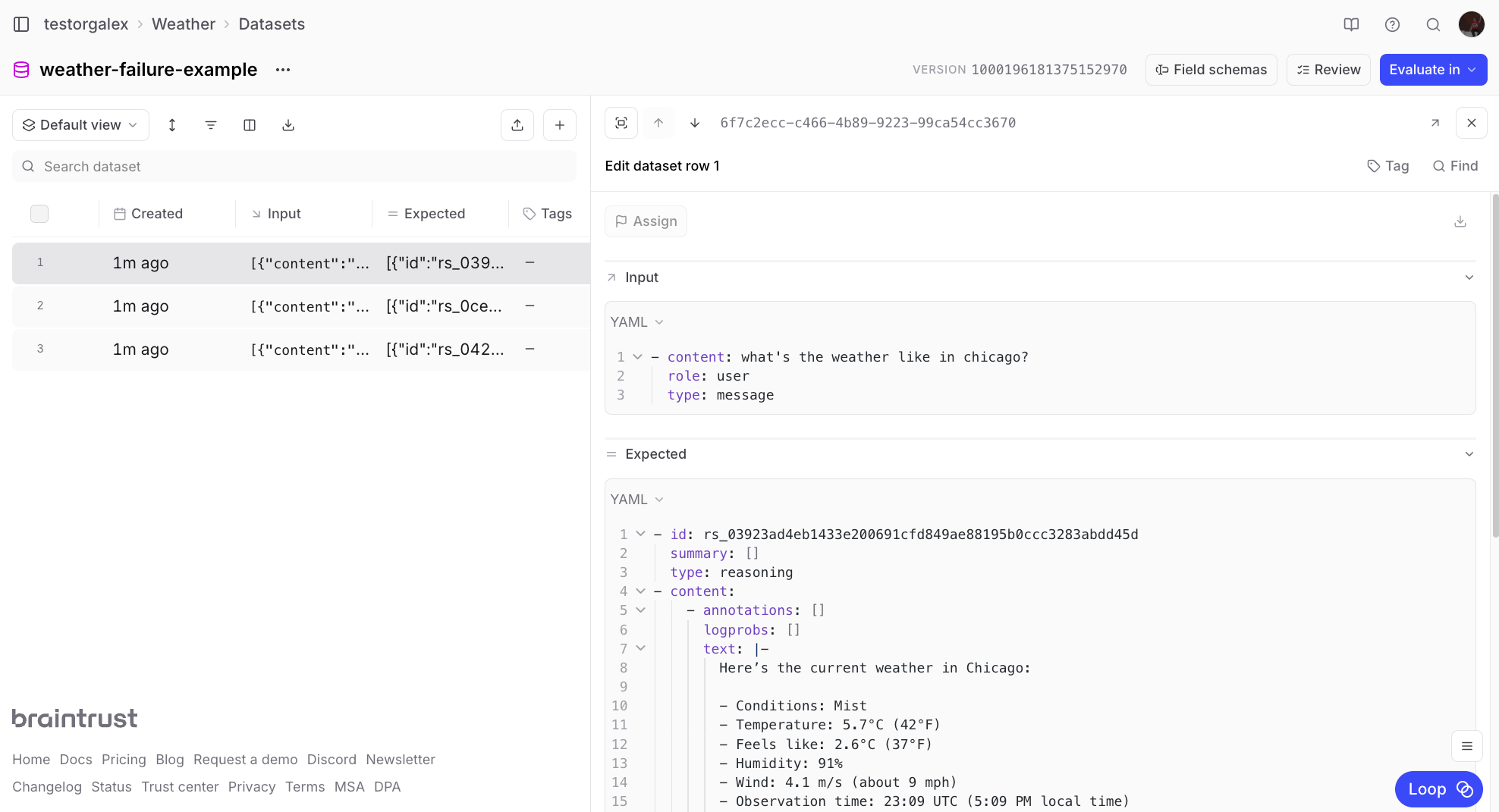
💬 Remove the expected column/cell from all the rows in this dataset
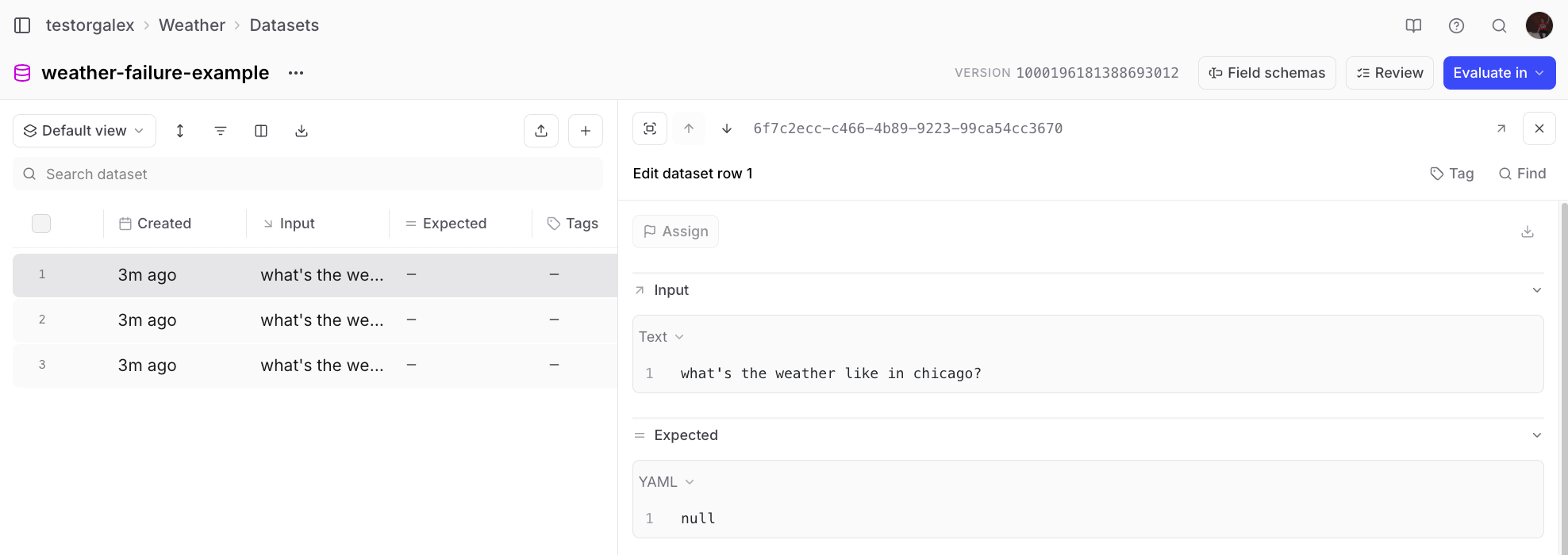
💬 The inputs are in JSON format right now, but I want them to be just
whatever is in the “content” field of the JSON object in input.
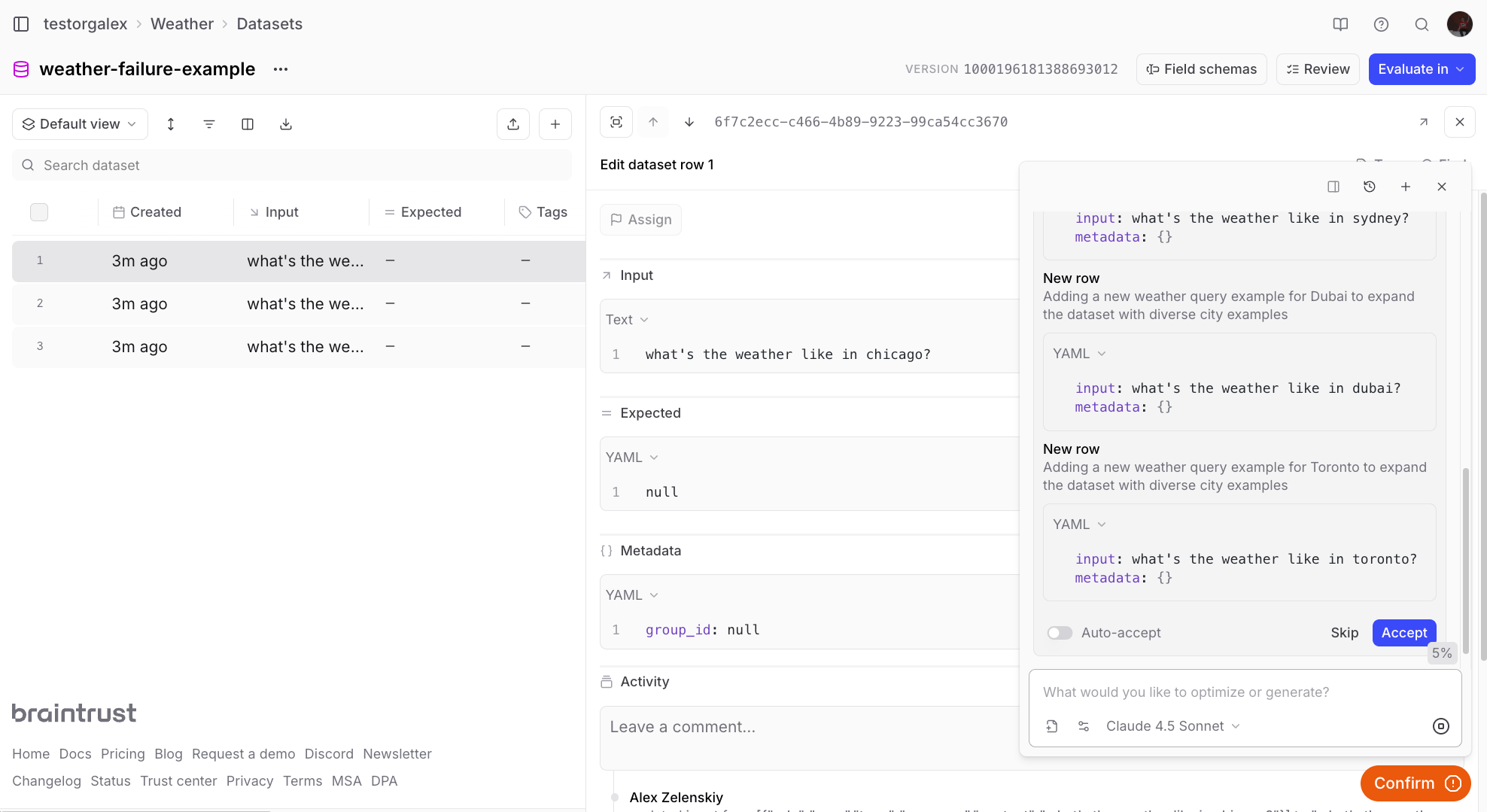
💬 Add 5 more rows to this dataset that are like the other ones in here where
the input is asking for the current weather in a specific city.
Running evaluations
With a scorer and dataset ready, you can run evaluations to measure your agent’s performance. This example pulls the dataset and scorer from Braintrust and runs the evaluation with the SDK: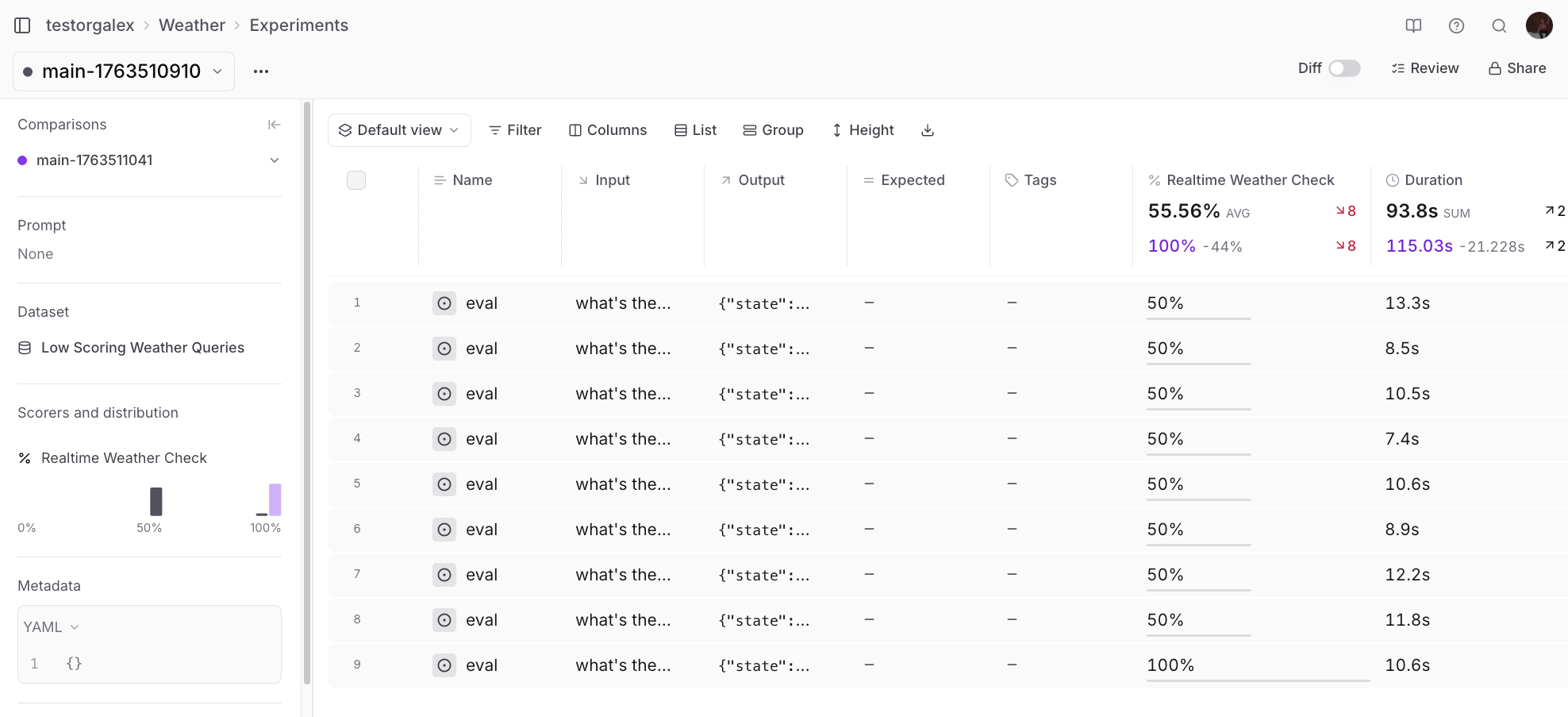
Improving the prompt with Loop
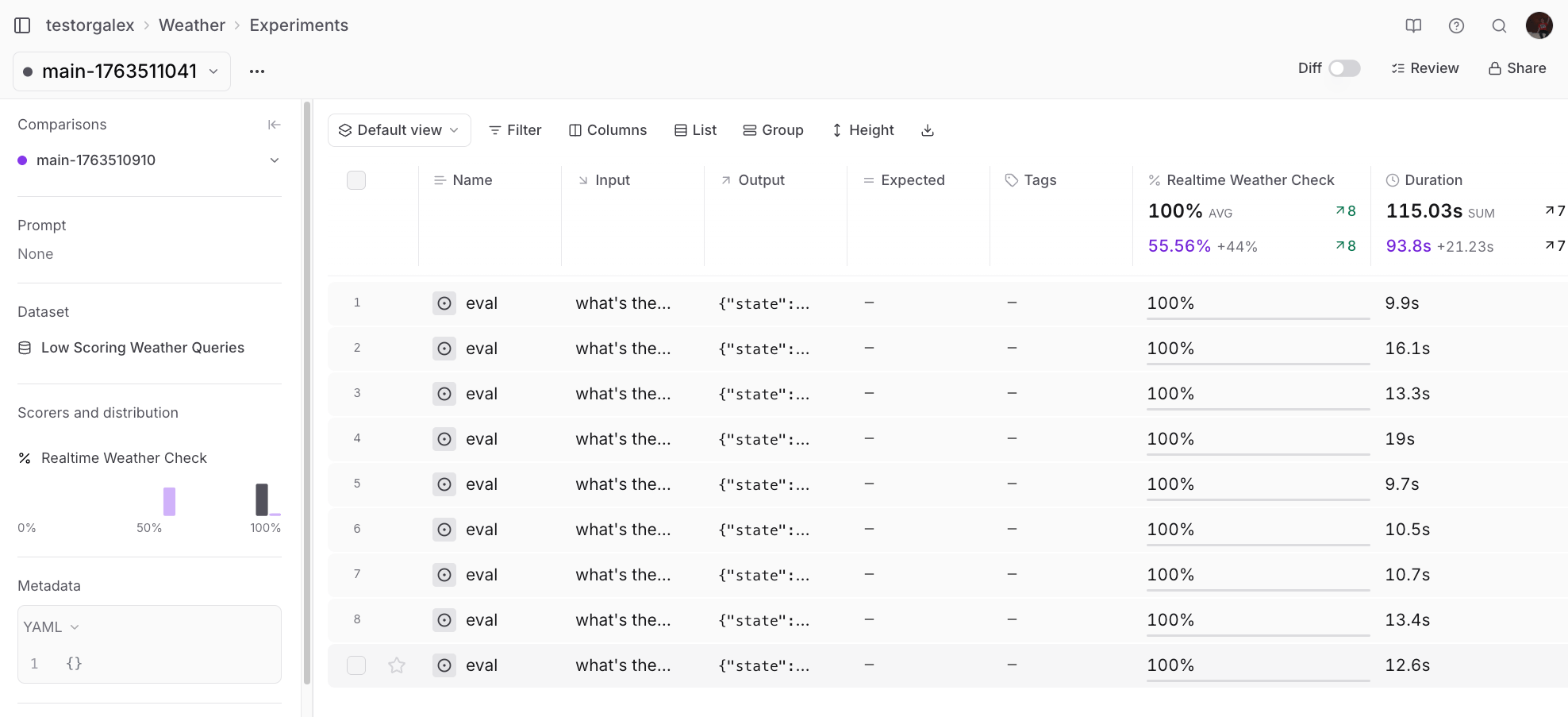
Instead of guessing how to improve the system prompt, ask Loop to analyze the experiment results:💬 Can you check the scorer output in this experiment and give me suggestions
for how to improve my system prompt?
Other Loop use cases
Beyond the core workflow shown above, Loop can help with other common tasks.Generating charts
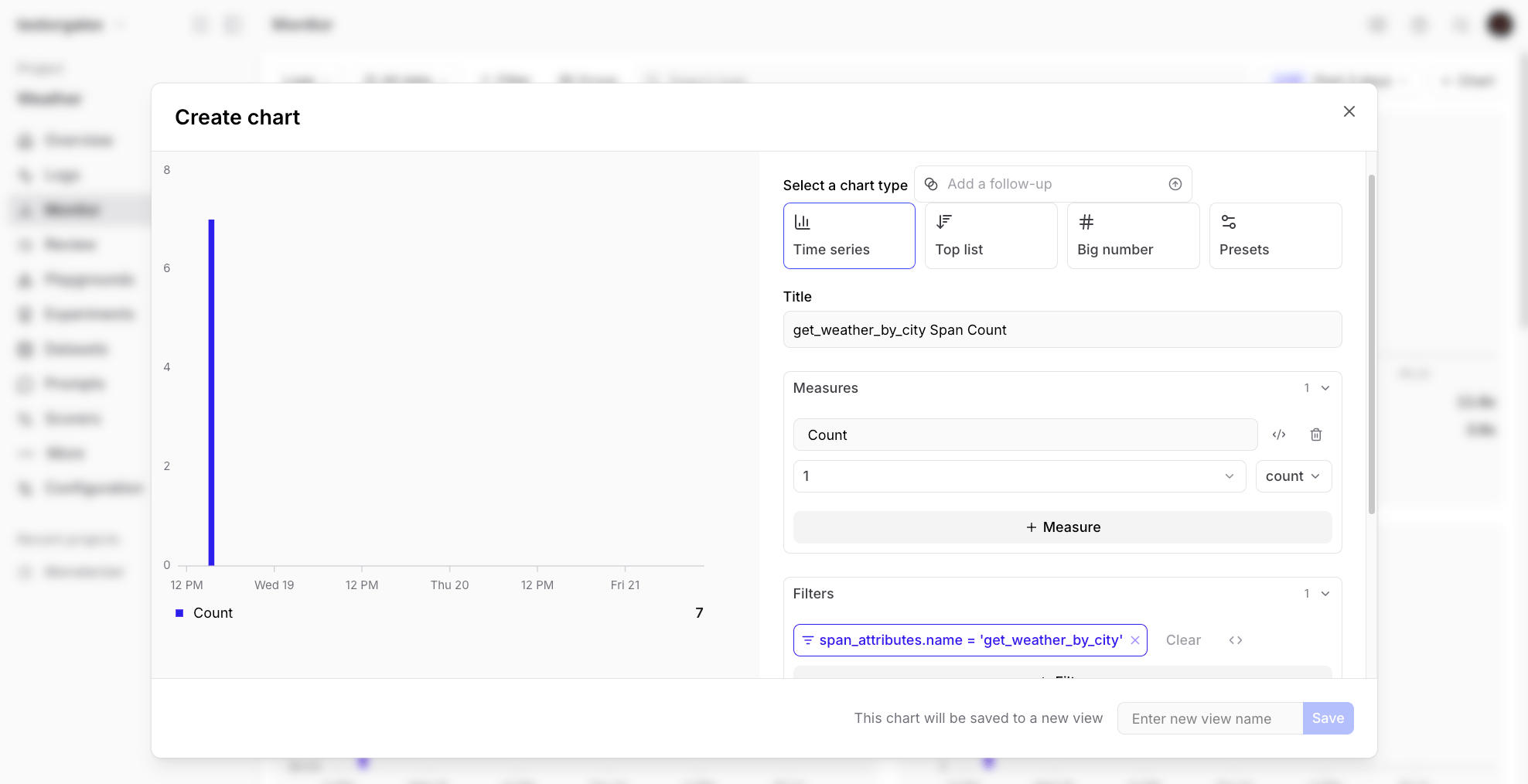
You can ask Loop to create visualizations of your data:💬 Can you make me a chart that shows the number of times a tool called
“get_weather_by_city” was called over time?
Next steps
Now that you’ve seen how Loop can accelerate your AI development workflow, try applying it to your own projects:- Use Loop to create scorers for your specific evaluation criteria
- Ask Loop to analyze your logs and identify quality issues
- Let Loop help you clean and augment your datasets
- Get Loop’s suggestions for improving your prompts based on experiment results
- Learn more about Loop
- Explore logging and experiments
- Check out other cookbook recipes